Start here
Getting started in 10 minutes
Set up your first envelopes, log a transaction, and read the Hearth dashboard. A complete setup in about ten minutes.
In short: work out your income, fixed expenses, and 3 to 6 variable categories. Make an envelope for each, log one purchase, done. Ten minutes.
Step 1: Work out your numbers
Before opening the app, jot down three things:
- Take-home income. What actually lands in your account.
- Fixed expenses. Rent, utilities, insurance, subscriptions you keep.
- 3 to 6 variable categories. Where money leaks: groceries, dining out, fun money, gas.
Keep it small. A budget with thirty envelopes is a budget nobody opens. Here's why fewer envelopes win.
Step 2: Create your envelopes
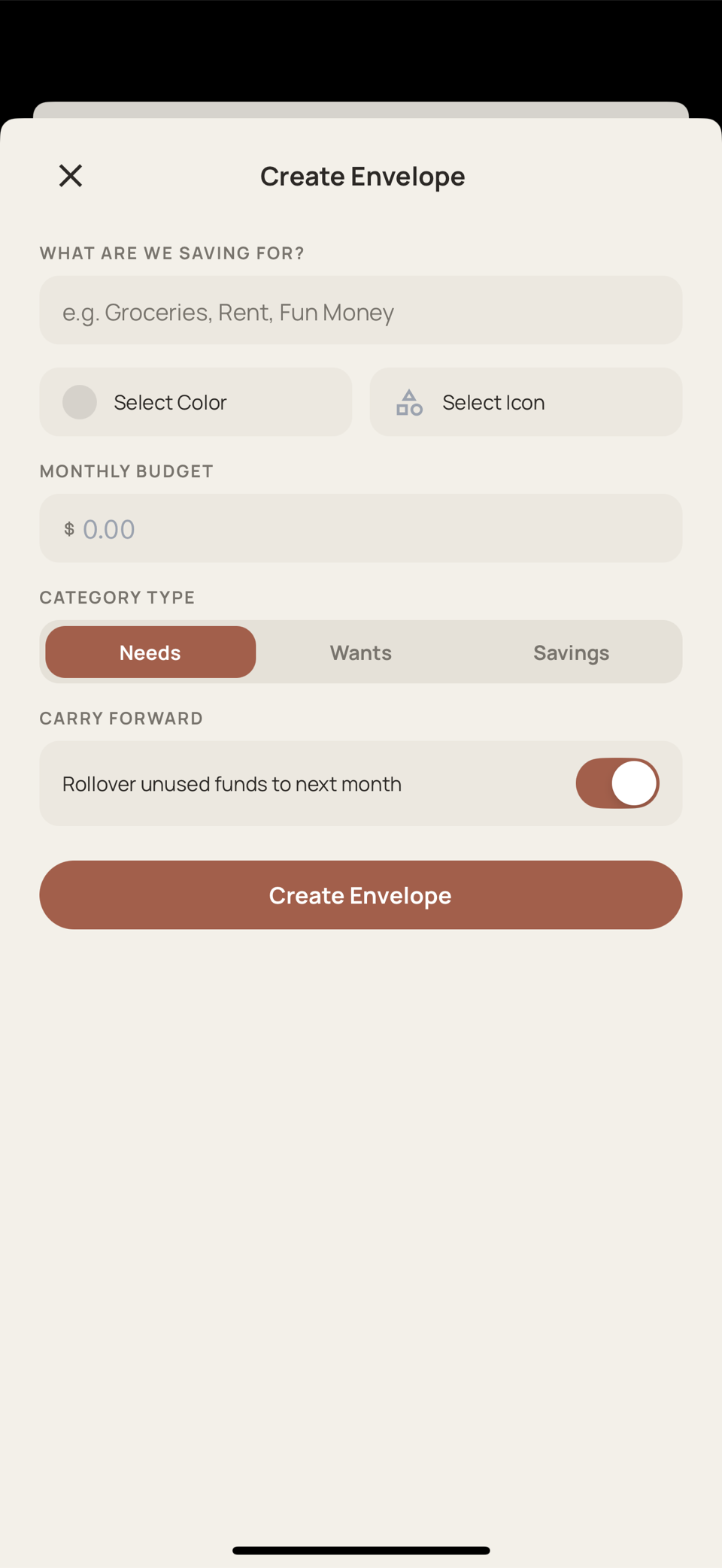
In the Envelopes tab, tap + and set three things per envelope:
- A name
- An icon and color
- The monthly amount. Use your real numbers, not optimistic ones.
Leave the carry forward toggle off for now (what it does). Five to eight envelopes total is plenty.
Step 3: Log your first transaction
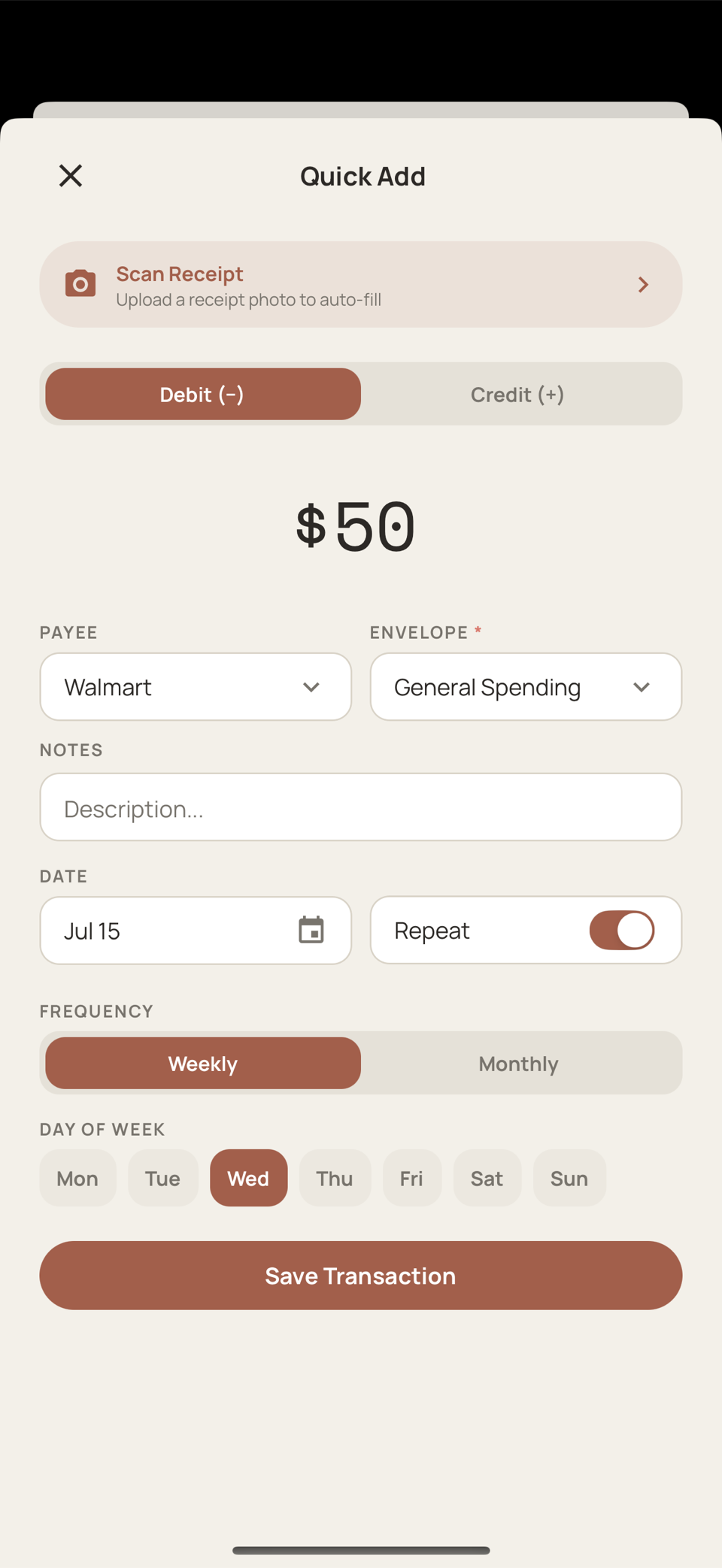
Tap + on the dashboard, then:
- Enter the amount
- Pick a payee, or create one
- Pick the envelope and tap Save Transaction
Ten seconds, and a real purchase is in your budget instead of hiding on a statement.
Next time is faster: the payee remembers its envelope (payees and faster logging).
Step 4: Read the Hearth
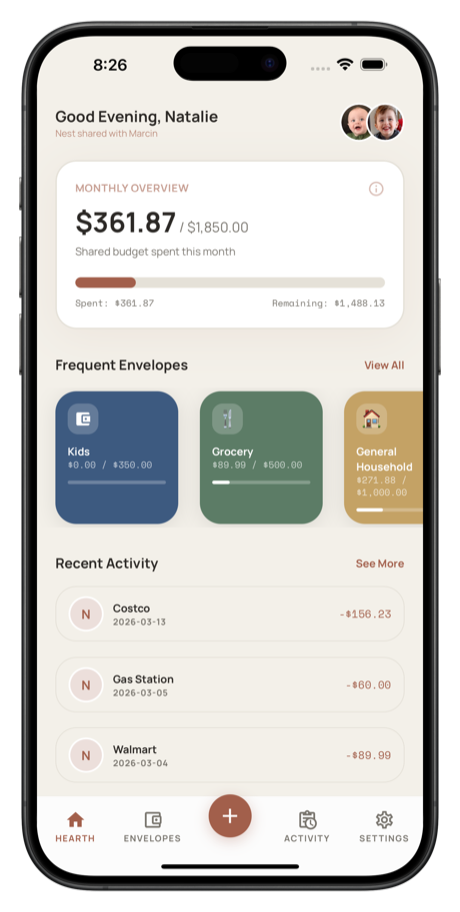
The dashboard shows budgeted vs spent for the month, plus your most-used envelopes with progress bars. The whole habit fits in two lines:
- Log when you buy, not later
- Glance before you spend. Eating out tonight? Check Dining Out first.
Spend, log, glance, repeat.
Bring your partner in
Hearth is built for two. Invite your partner from Settings so you're both seeing the same numbers. Here's how to make it work well.
More guides
Still stuck? We're happy to help. Email support@hearthbudget.com.